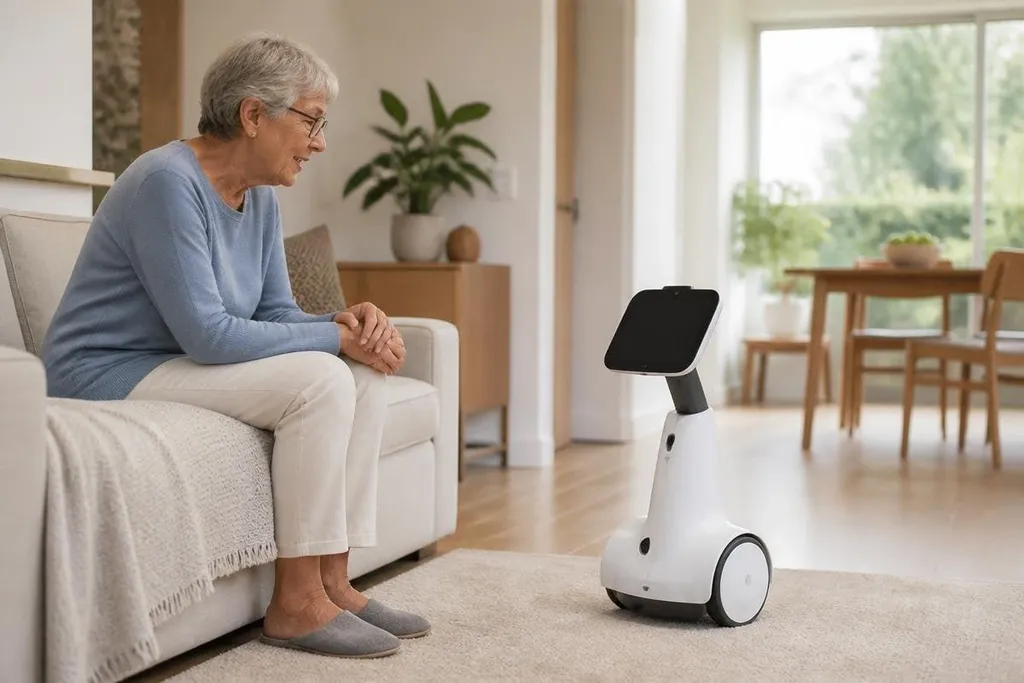
A companion robot may spend most of its time answering questions, setting reminders, or helping someone call family. That modest job list explains much of the interest: people can see a use for the robot before they care about its shape or voice.
- Useful first step: voice control can reduce the work needed for reminders, calls, or simple questions.
- Main limit: a robot with cameras and microphones needs clear privacy settings.
- Buying test: check the tasks it can perform without a phone, cloud account, or human operator.
Small tasks make the category useful
Companion robots sit between a smart speaker and a mobile robot. They may hear spoken requests, answer through a speaker, show information on a screen, and move around a room on wheels. Some can also use a camera to recognize people or check what is in front of them.
That mix matters because the robot can meet a person in the room instead of waiting for a phone screen.
A reminder can come from the robot near the kitchen, and a video call can start from the same place. Each task is small, but the user has fewer steps to complete it.
The value changes with the person using it. Someone living alone may care about calls and reminders. A family member may care about remote check-ins. A care worker may look for alerts or a way to speak with someone without entering the room.
The product still needs a clear job. If it only repeats answers that a phone already gives faster, its moving body adds cost without adding much help.
The software does most of the work
The body gets attention, but the software decides how useful the robot feels. Speech recognition must handle ordinary pauses and short requests. The robot also needs to know when it heard a command, when it needs more detail, and when a person should take over.
That last part is easy to miss. A companion robot can answer a question, but it may not understand a health concern, spot a dangerous fall, or judge whether an urgent call is needed. Those limits matter more than a friendly face on the screen.
Remote access adds another layer. A family member or care team may be able to start a call, move the robot, or check a camera feed. The feature can help with distance, but it also makes account security and permission settings part of the product.
A companion robot’s camera and microphone can affect privacy before it moves through the home. Reporting on Robot24 can put those data needs beside the robot’s stated tasks and limits. The next check is who can access the recordings.
Privacy sets the limit
A robot built for a home may hear private conversations and see rooms where people expect privacy. That data may stay on the robot, move to a company server, or pass through a third-party service. The product page should state which path it takes.
You should also check the physical controls. A camera shutter, microphone switch, or clear status light gives people a way to know when sensing is active. If the robot cannot explain its recording state in plain language, the setup deserves caution.
Security updates matter too. Connected to a home network, the robot needs software support for as long as the owner plans to use it. A low purchase price loses its value if the service stops or the account cannot be recovered.
I'd treat any companion robot as a service first and a friend second. Its value depends on working software, a live support plan, and controls that the owner can understand.
A buying check
Before you compare shapes, voices, or screens, check the parts that affect daily use:
- Name the task: write down the one job the robot must do every day.
- Test the room: check its microphones, speakers, camera view, and movement area.
- Read the data policy: find out what gets stored, where it goes, and how long it stays there.
- Check human control: confirm how a family member or care worker can connect, stop movement, or remove access.
- Price the service: include subscriptions, replacement parts, network needs, and paid call features.
- Plan for failure: ask what still works when the internet, battery, or speech system fails.
This check separates a useful home tool from a product that mainly performs a friendly demo. It also shows why companion robots are attracting interest: the category combines familiar services with a body that can be present in the room.
The next test is simple. Can the robot complete its one daily job for 30 days, with clear privacy controls and a support plan that lasts longer than the sale?